🚀 How to Create a Solana Token (No Coding Required)
Welcome to the easiest way to launch a token on Solana! Whether you are building a community meme coin or a utility token for a project, the MintKiln Token Creator handles all the complicated code for you.
Just fill out a simple form, and your token will be live on the blockchain in less than 30 seconds.
Launch link: Open Token Creator →
🛠️ Step-by-Step Guide
Click Connect Wallet in the top right corner. We recommend using Phantom or Solflare.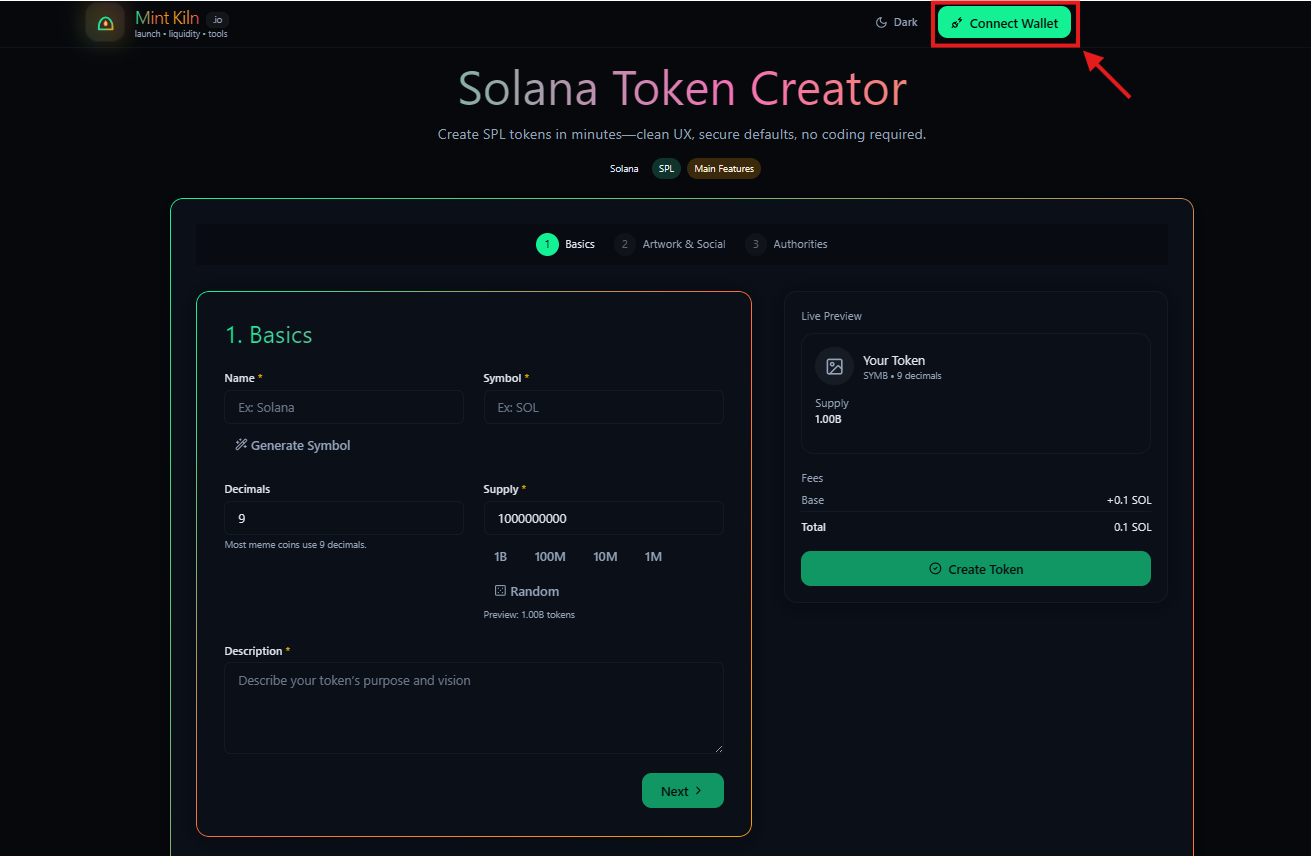
Fill out the basics for your token. You can even click the Generate button next to the name field to have our AI suggest a fun meme coin name for you!
- Decimals: We strongly recommend keeping this at
9(the Solana standard). - Supply: How many total tokens do you want to exist? (e.g., 1 Billion).
Watch the Live Preview on the right side to see exactly how your token will look!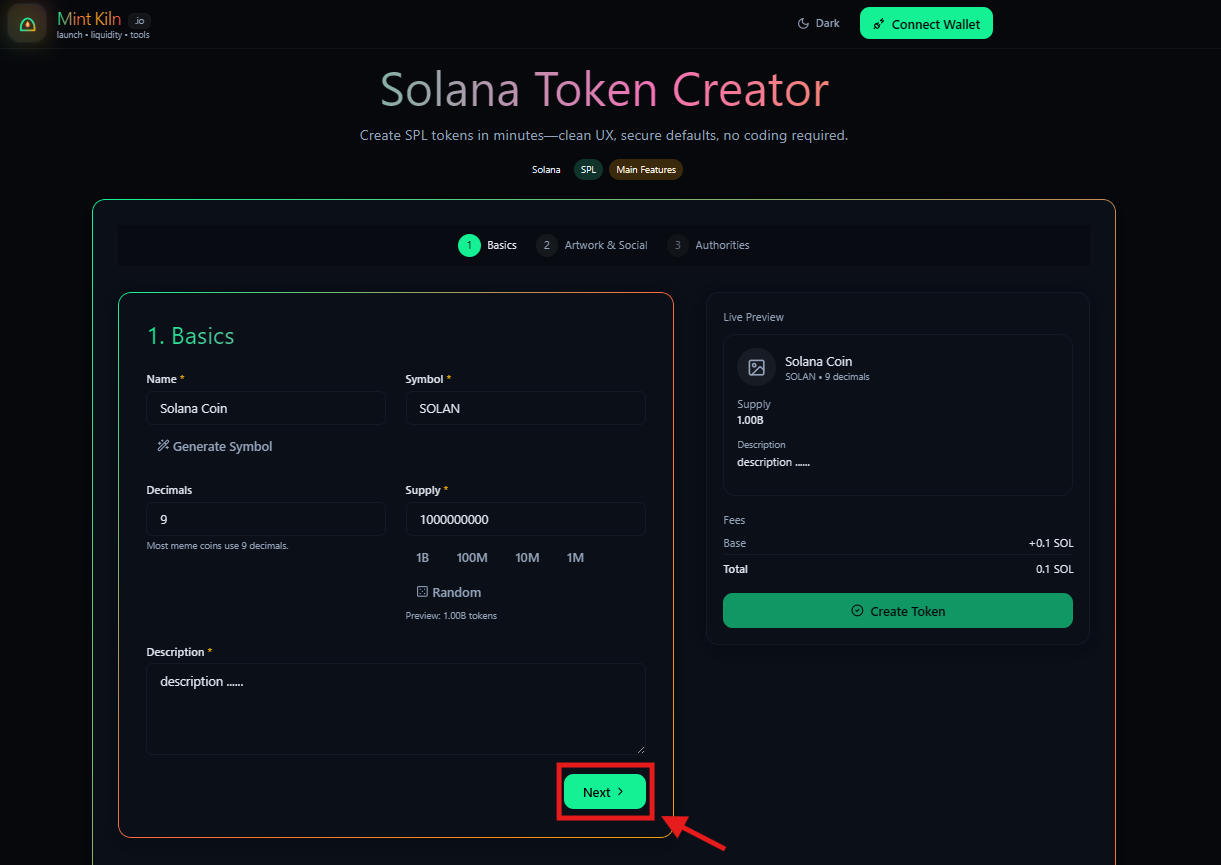
Upload a square logo (we recommend a 1000×1000 image).
You can also add links to your Website, Twitter/X, and Telegram so buyers can easily find your community.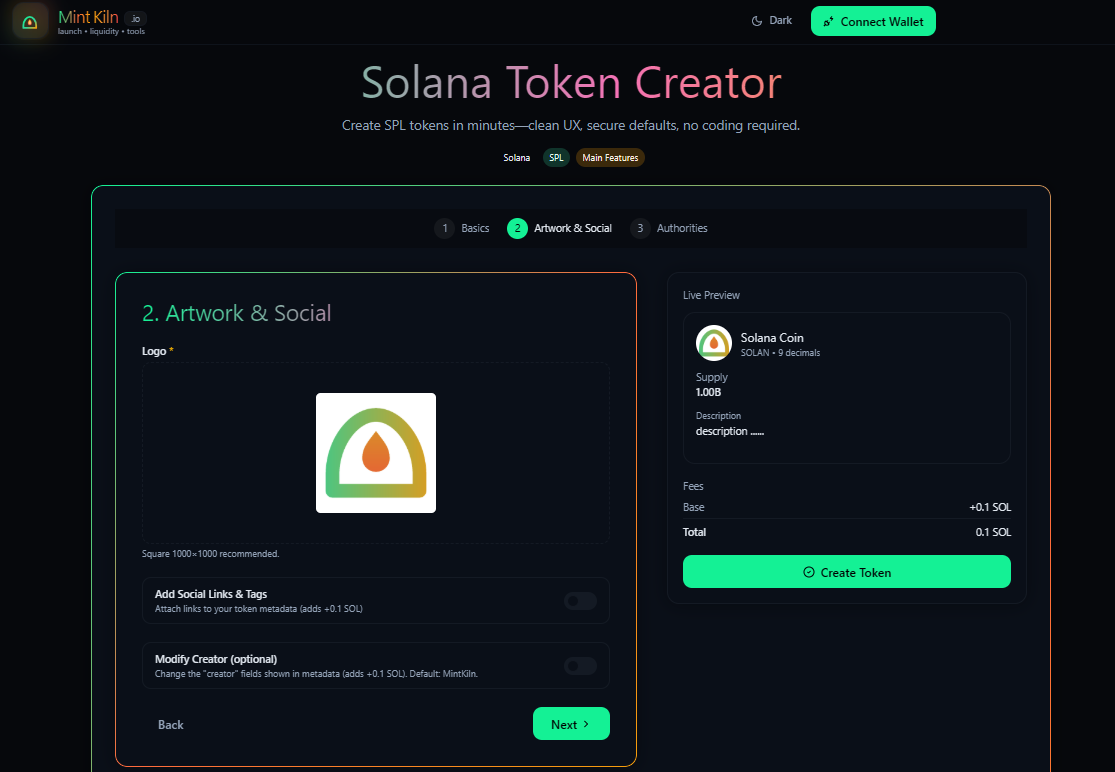
Authorities give you special powers over the token. For an honest meme coin launch, most creators choose to Revoke all authorities so the community knows the token is safe and cannot be modified or frozen later.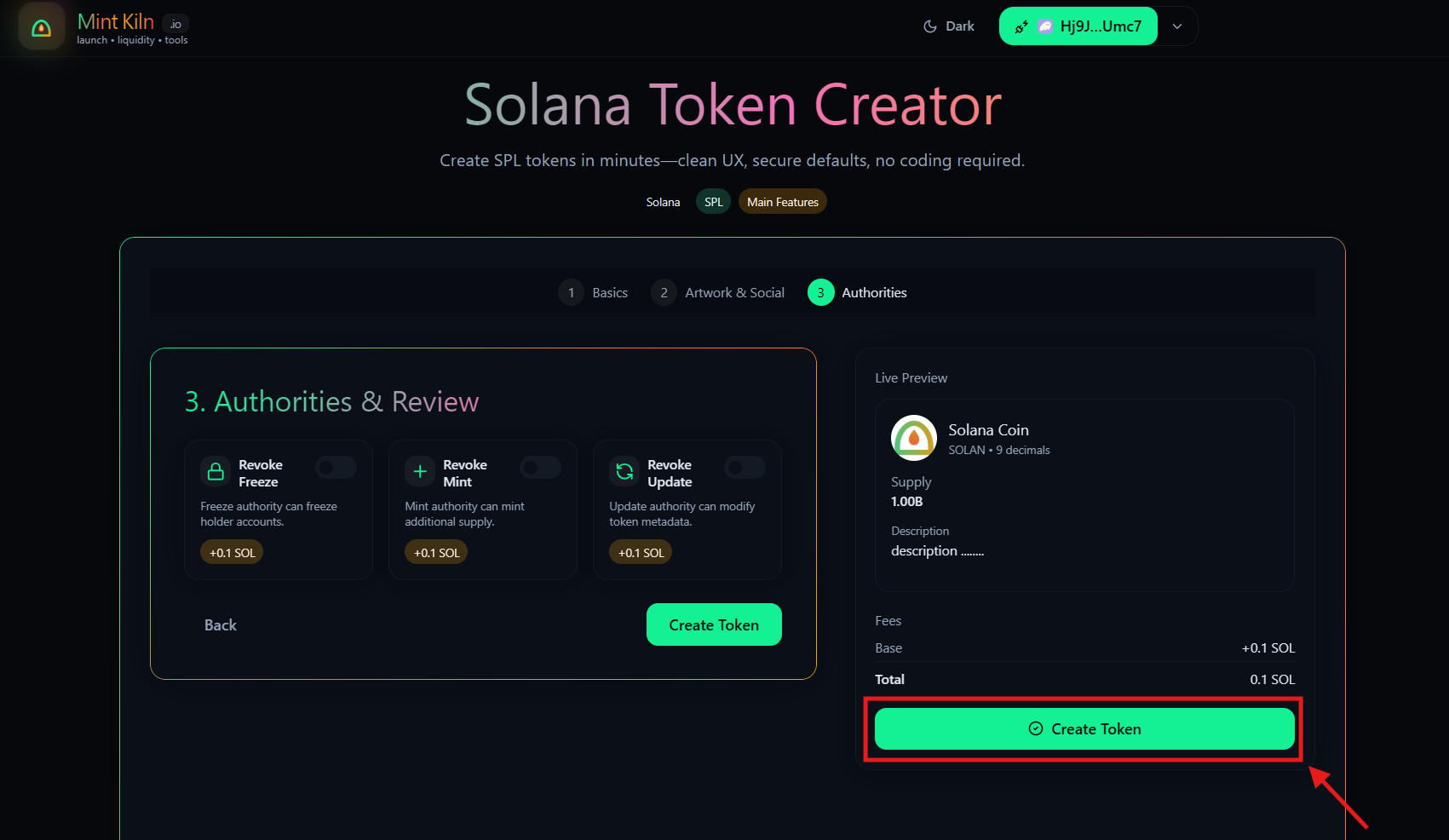
MintKiln clearly shows you our competitive platform fee upfront.
Click the Create Token button, approve the transaction in your wallet, and watch the magic happen!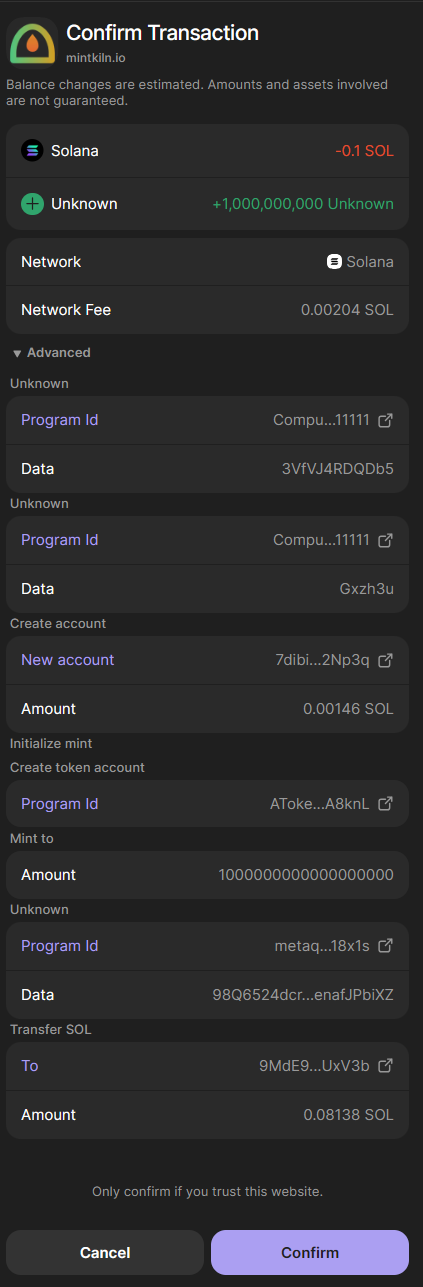
Congratulations! You will see a success screen displaying your brand new token address.
Click Open in Solscan to prove your token is officially live on the blockchain!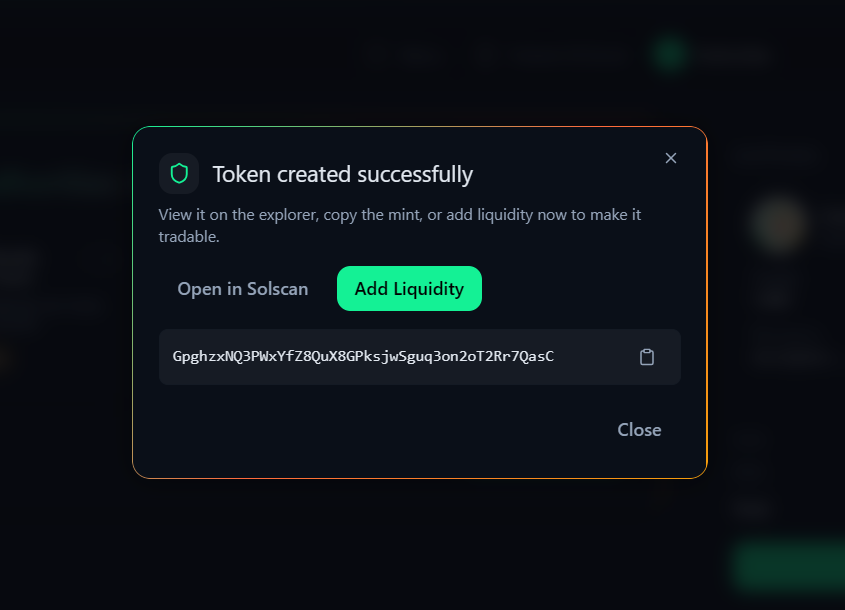
📈 Next Steps
Once your token is created, it is sitting safely in your wallet. But nobody can buy it yet!
To let people trade your token, your next step is to head over to our Create Liquidity page so you can launch it on Decentralized Exchanges like Raydium.
🛟 Troubleshooting
- "Transaction Failed" → Make sure you have enough extra SOL in your wallet to cover the Solana network fees (usually about 0.05 SOL is plenty).
- "Image not showing" → If your logo fails to upload, make sure it is a standard
.pngor.jpgfile and try again.