
👋 Get Started with MintKiln
Welcome to MintKiln! We are a toolkit designed to make building on Solana as easy as clicking a few buttons. You do not need to know how to code to launch and manage professional tokens here.
This guide will show you how to start using our platform safely.
Our Golden Rule: We will never ask for your seed phrase or private keys. You are always in control of your own funds.
🎒 What You Need
Before you start, make sure you have:
- A Solana Wallet: We highly recommend downloading the Phantom or Solflare extension for your browser.
- A Little Bit of SOL: You need a small amount of Solana (SOL) in your wallet to pay for the network transaction fees (usually around $5-$10 worth is plenty to get started).
- A Web Browser: Chrome, Brave, Edge, or Firefox will work perfectly.
⚡ Quick Start (60 Seconds)
Go to the MintKiln App and click the Connect Wallet button in the top right corner. Choose your wallet (like Phantom) and approve the connection.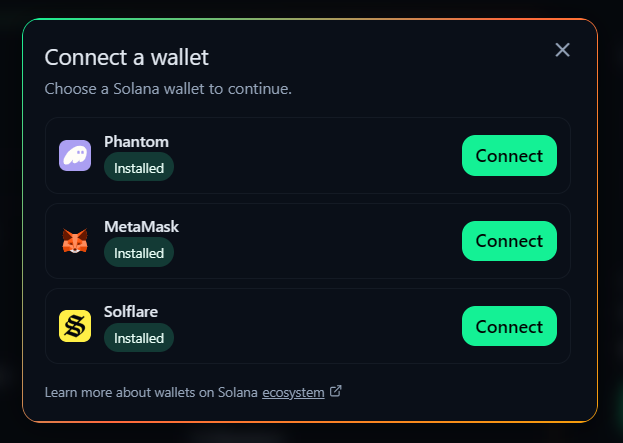
Pick the tool you want to use from the left-hand menu, like Create Token or Create Liquidity.
Before you ever click confirm, we will show you exactly how much the action will cost.
This includes our small Platform Fee and the Solana Network Fee. There are no hidden surprises!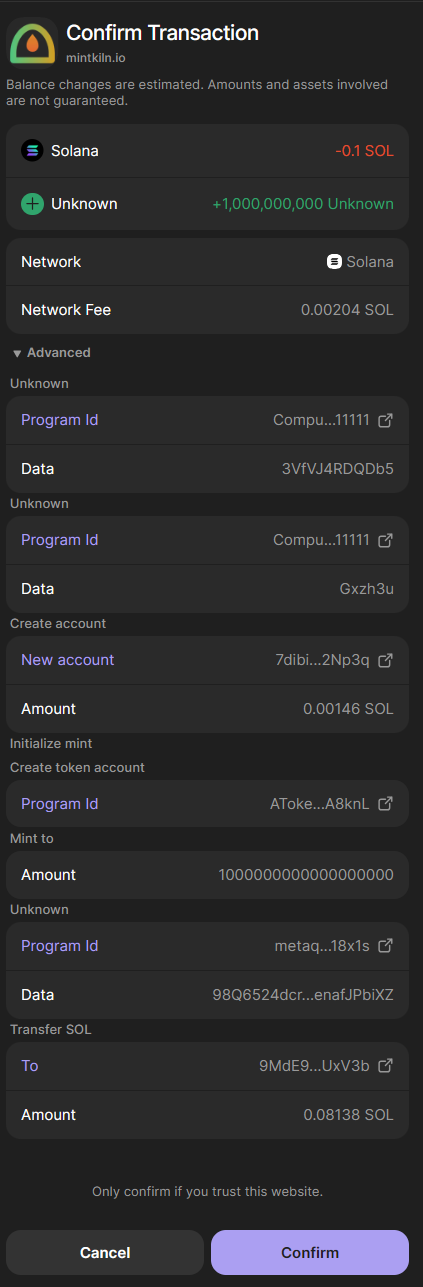
When you click a "Create" or "Revoke" button on our site, your wallet will pop up asking for permission. Read the message, and if you are ready, click Approve!
We believe in 100% transparency. After every successful action, we give you a direct link to Solscan (the official Solana blockchain explorer) so you can prove to yourself and your community that the transaction was real.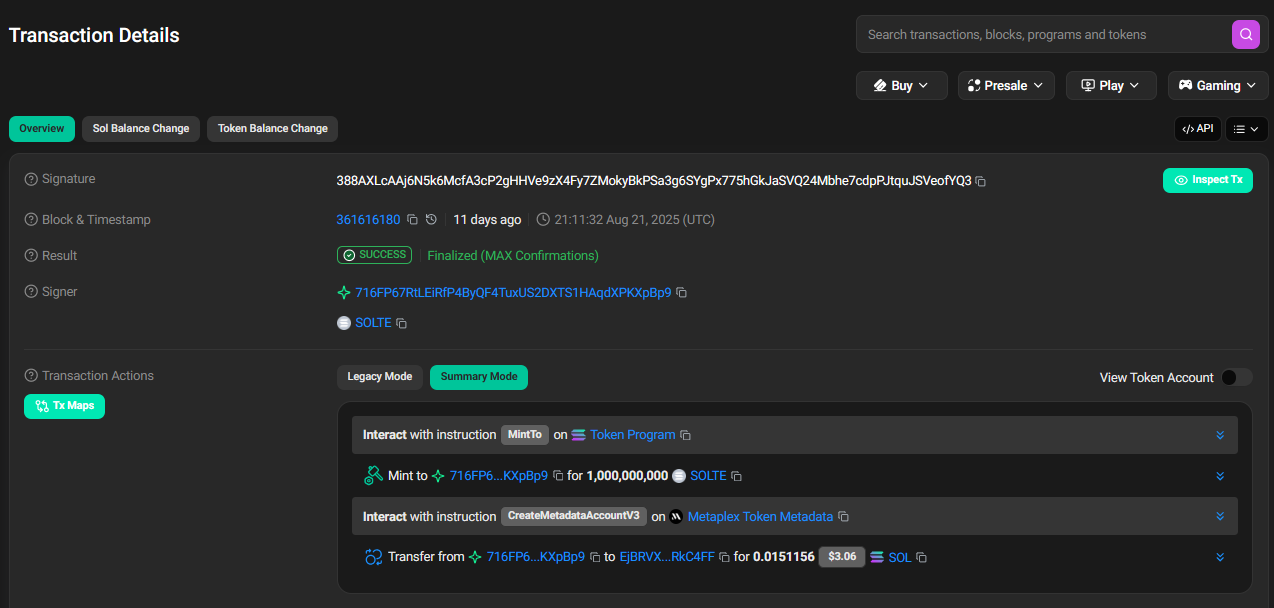
🛟 Common Beginner Questions
- "My wallet won't connect!" → Make sure you actually have the Phantom or Solflare browser extension installed and unlocked.
- "Transaction Failed: Insufficient Funds" → You need to buy a little more SOL and send it to your wallet to cover the fees.
- "Where do my tokens go?" → They go directly into the wallet you connected with! We never hold your tokens.
Need more help?
- Check out the Introduction to learn more about what we do.
- Got a specific issue? Contact Us and our team will help you out!