🛡️ How to Revoke Mint & Freeze Authorities on Solana
When you first create a token, you are given "Authorities" (special admin powers) over it. You have the power to mint more tokens, freeze other people's wallets, or change the token's name and logo.
To build an honest community and get listed on tracking websites, you need to give up these powers permanently.
MintKiln makes it incredibly easy to prove to your community that your token is safe.
What does "Revoking" mean?
Revoking an authority is like throwing away the key to a lock. It is permanent and cannot be undone. Once you revoke the power to mint more tokens, you can never create more.
Launch link: Open Revoke Authorities →
The 3 Steps to a Safe Token
We recommend completing these three actions in this exact order:
This proves you can never print more tokens to dump on the market. Once revoked, the total supply of your token is locked forever.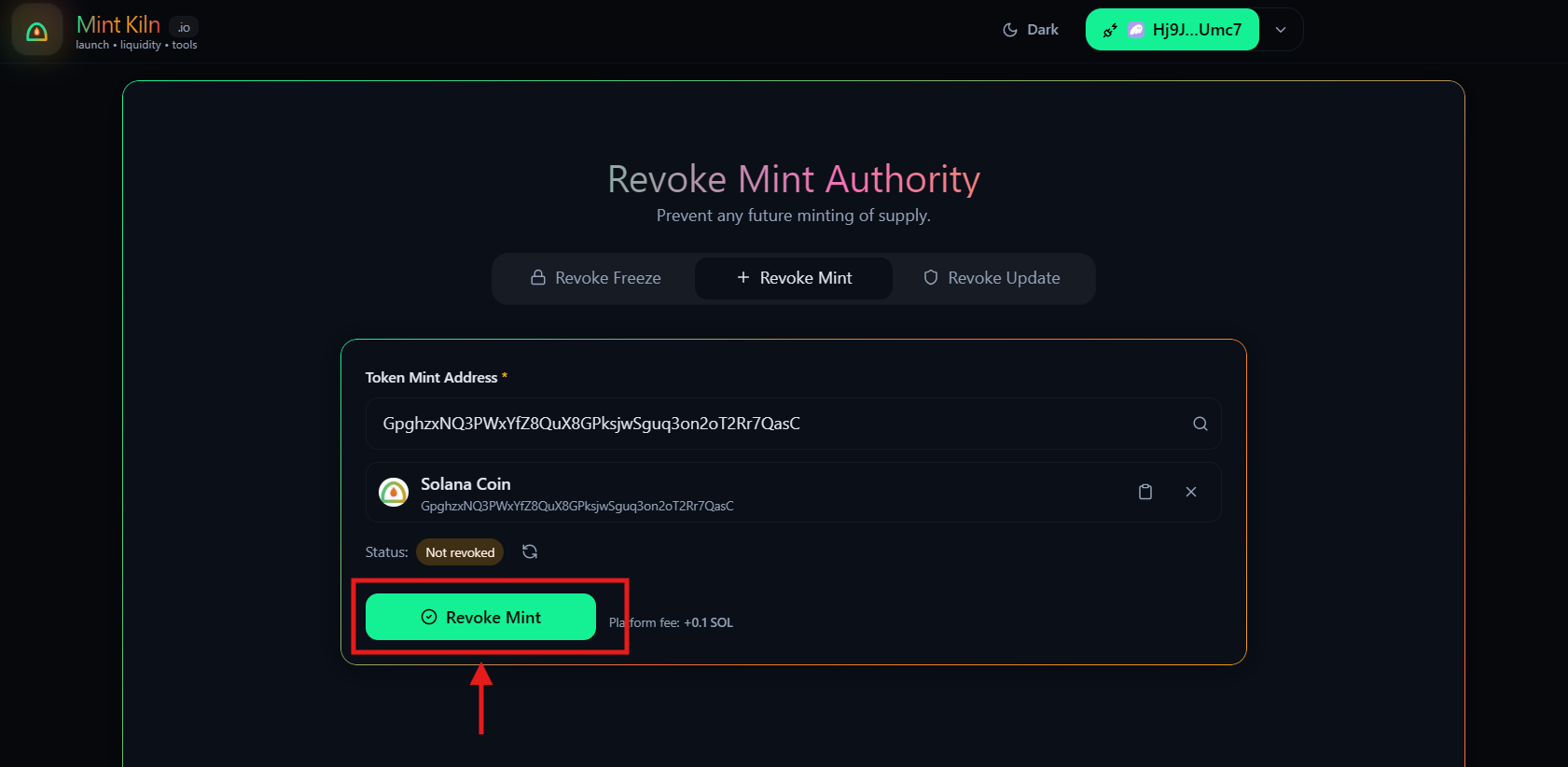
This proves you can never freeze a buyer's wallet and trap their funds.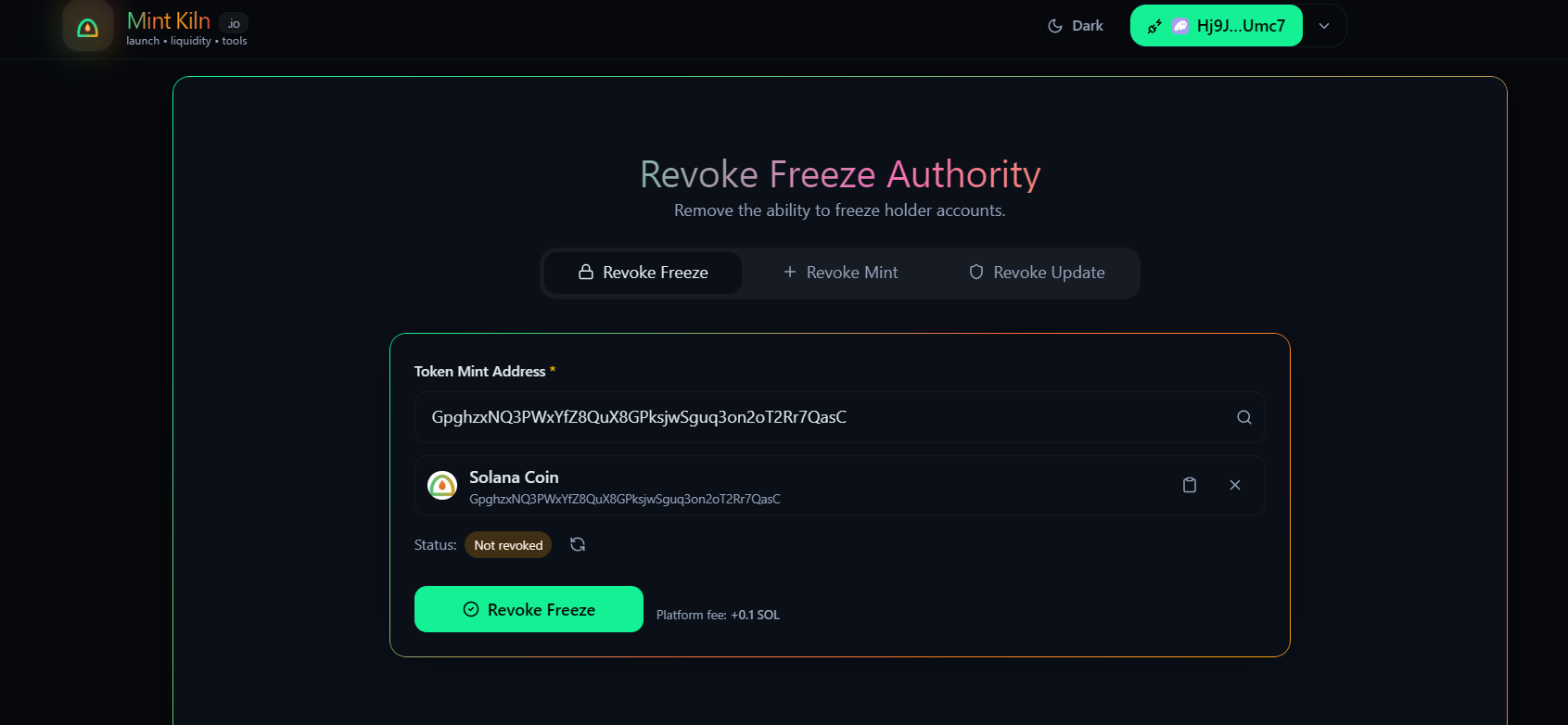
This locks your token's Name, Symbol, and Logo forever.
(Note: Only do this AFTER you are 100% happy with your logo and social links!)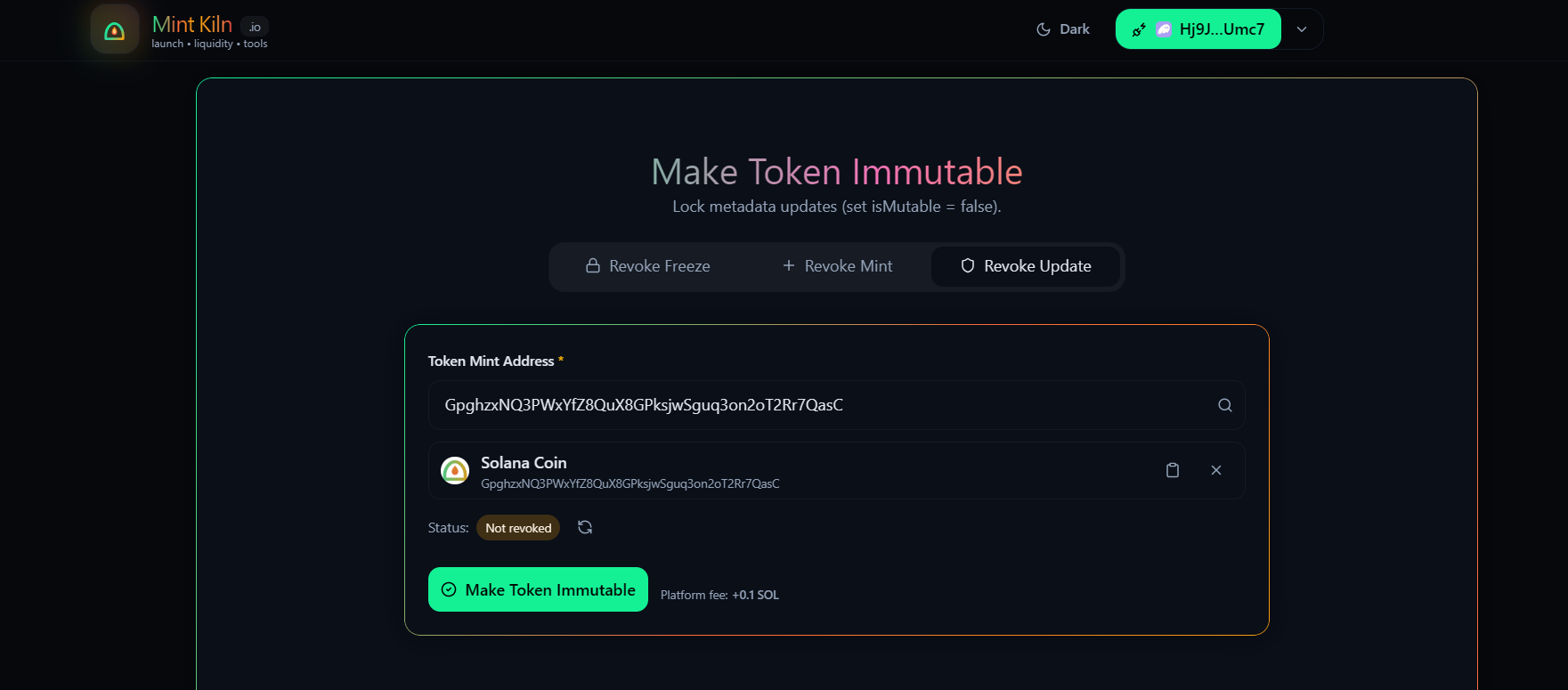
🛠️ How to use the Revoke Tool
- Connect your wallet: Ensure you are using the exact same wallet that you used to create the token originally.
- Find your token: Paste your Token Address into the search bar.
- Check the Status: MintKiln will automatically tell you if an authority is "Not Revoked" (Red) or "Already Revoked" (Green).
- Click Revoke: Click the button, approve the transaction, and the status will update permanently!
Proof for your Community
After you revoke an authority, MintKiln will give you a Solscan link. Share this link in your community's Telegram or Discord to prove that the token is safe!
🛟 Troubleshooting
- "Authority Mismatch" → You are connected with the wrong wallet. You must use the wallet that originally created the token.
- "Transaction Failed" → You might not have enough extra SOL to cover the tiny Solana network fee.
- The button is greyed out → This means the authority has already been revoked, and your token is safe!