
🔒 How to Lock Liquidity & Build Trust
When you create a liquidity pool (so people can trade your token), you receive LP Tokens in your wallet. These are basically receipts that prove you own the pool, and they give you the power to withdraw all the money at any time.
If you want people to trust your project and actually invest in it, you need to prove that you can't run away with their money (a "rug pull"). You do this by Locking (Burning) your LP Tokens.
Permanent Action
Locking your LP tokens burns them permanently. This means the liquidity you lock is in the pool forever, and you can never withdraw it. This cannot be undone!
🛠️ Step-by-Step Guide
Before you begin, you need to know your Raydium Pool ID (sometimes called the Pair Address). You can find this on DexScreener by copying the "Pair" address, or directly from the Solscan transaction when you created the pool.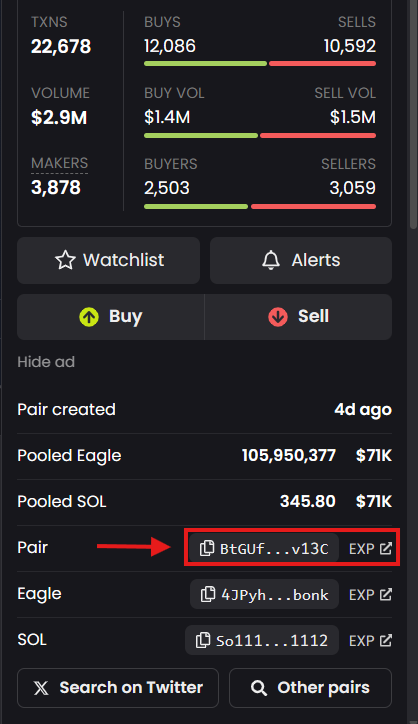
Go to the MintKiln Lock Liquidity tool and paste your Pool ID. MintKiln will automatically check your wallet to see how many LP tokens you currently own for that specific pool.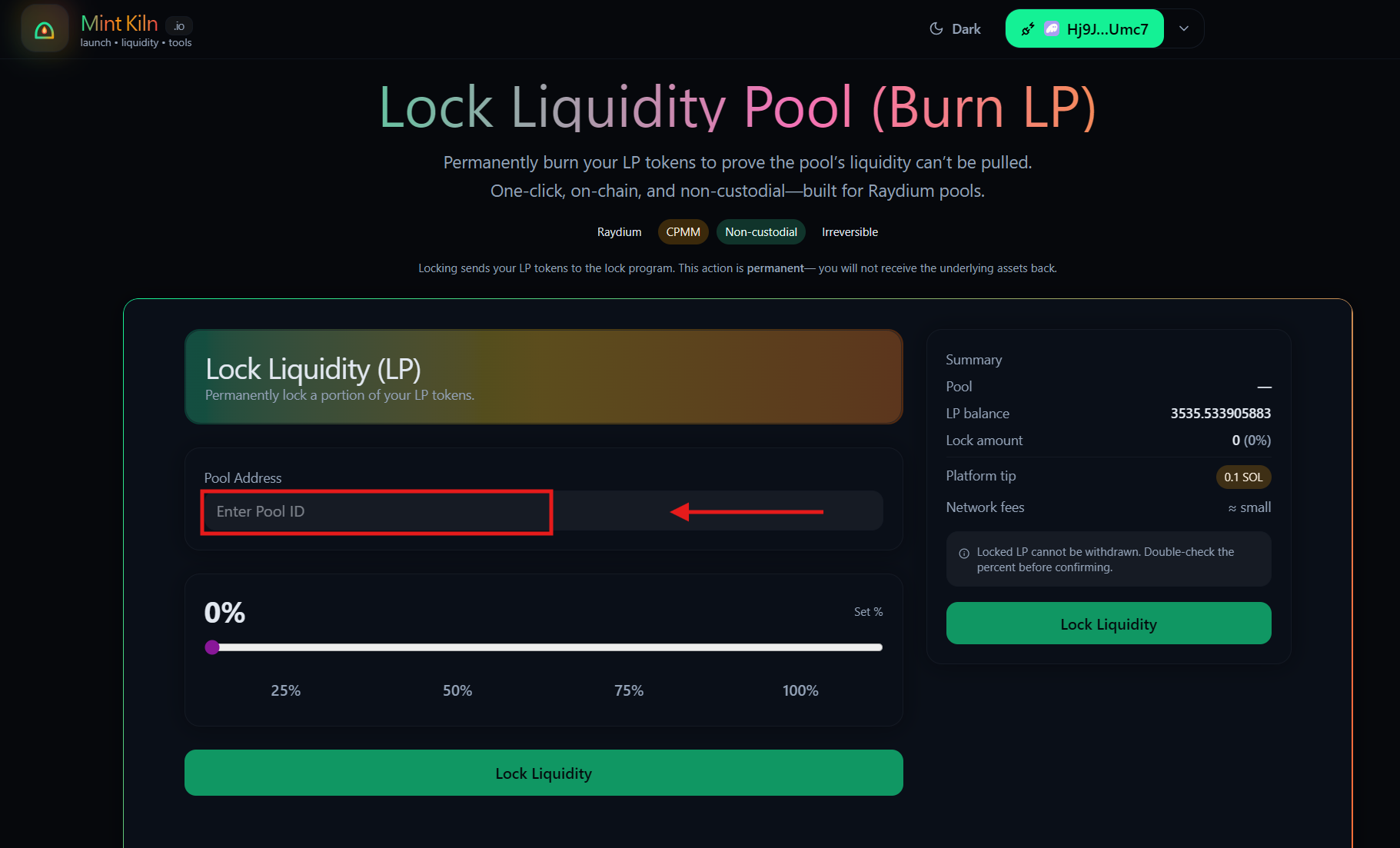
Use the slider or the quick buttons (25%, 50%, 75%, 100%) to decide how much of your liquidity you want to permanently lock away.
Tip: Most serious projects lock 100% of their initial liquidity to build maximum trust with early buyers.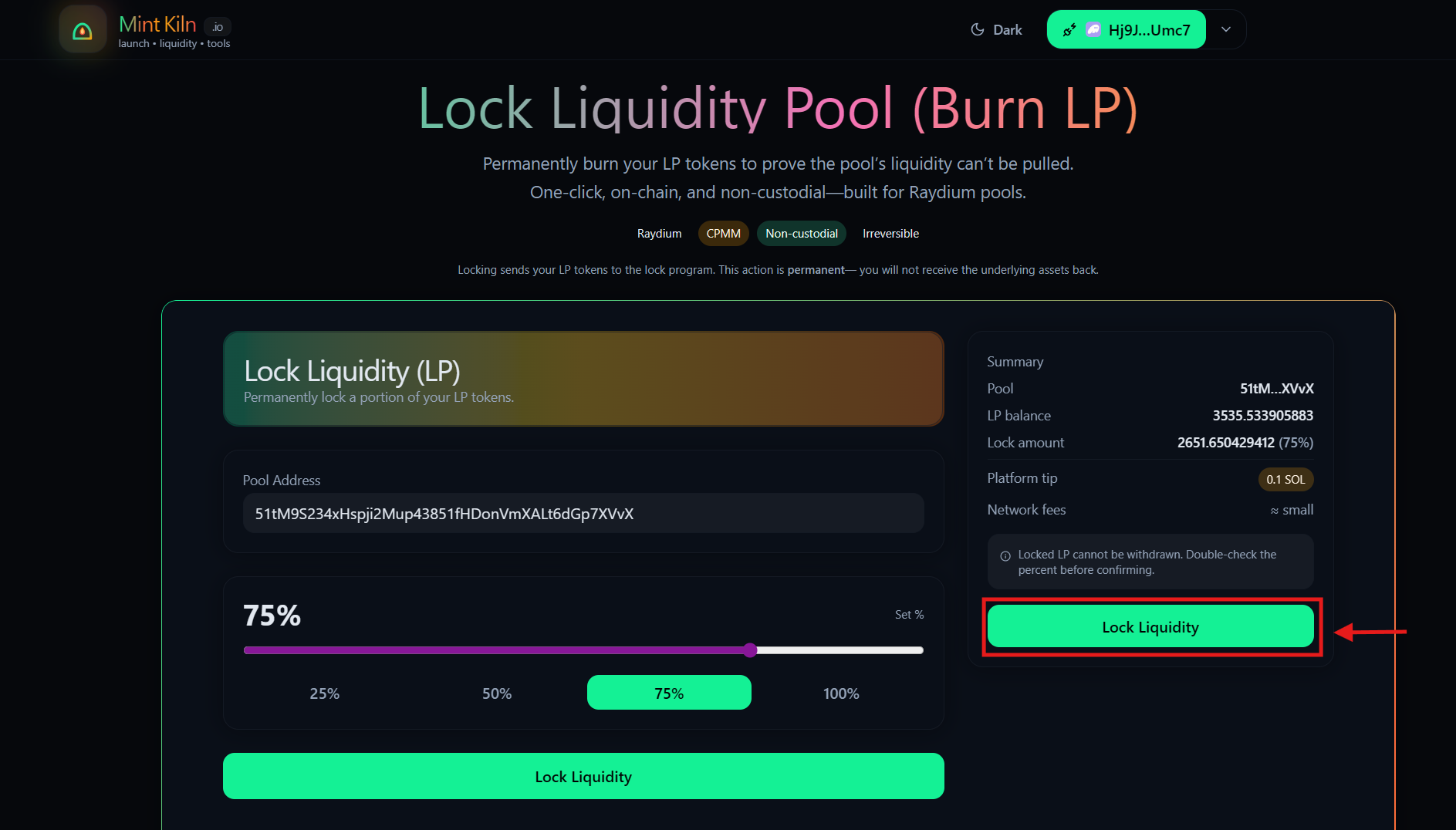
Click the Lock Liquidity button and approve the transaction in your Phantom or Solflare wallet.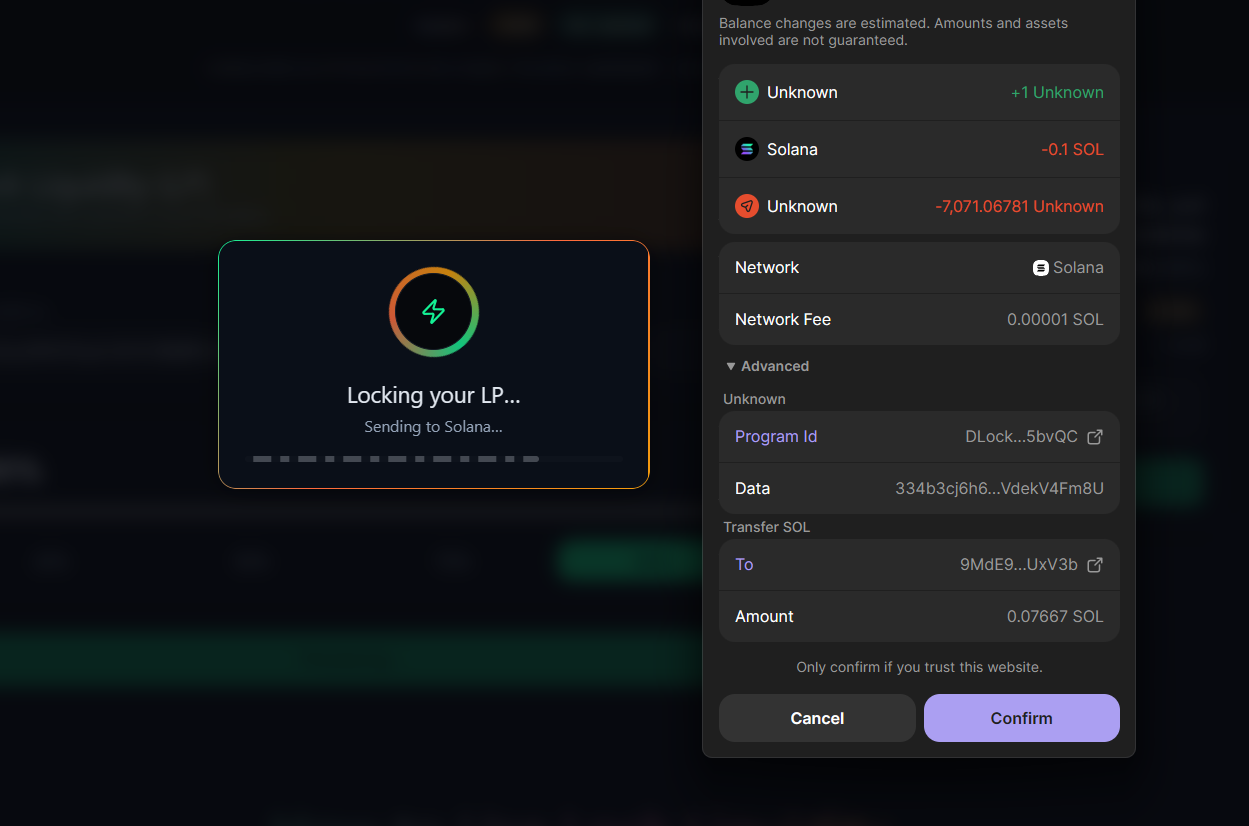
Once the transaction is successful, we will give you a direct link to the Solscan transaction. Share this link on your Twitter/X and Telegram immediately! This is your proof to the world that your token is safe to trade.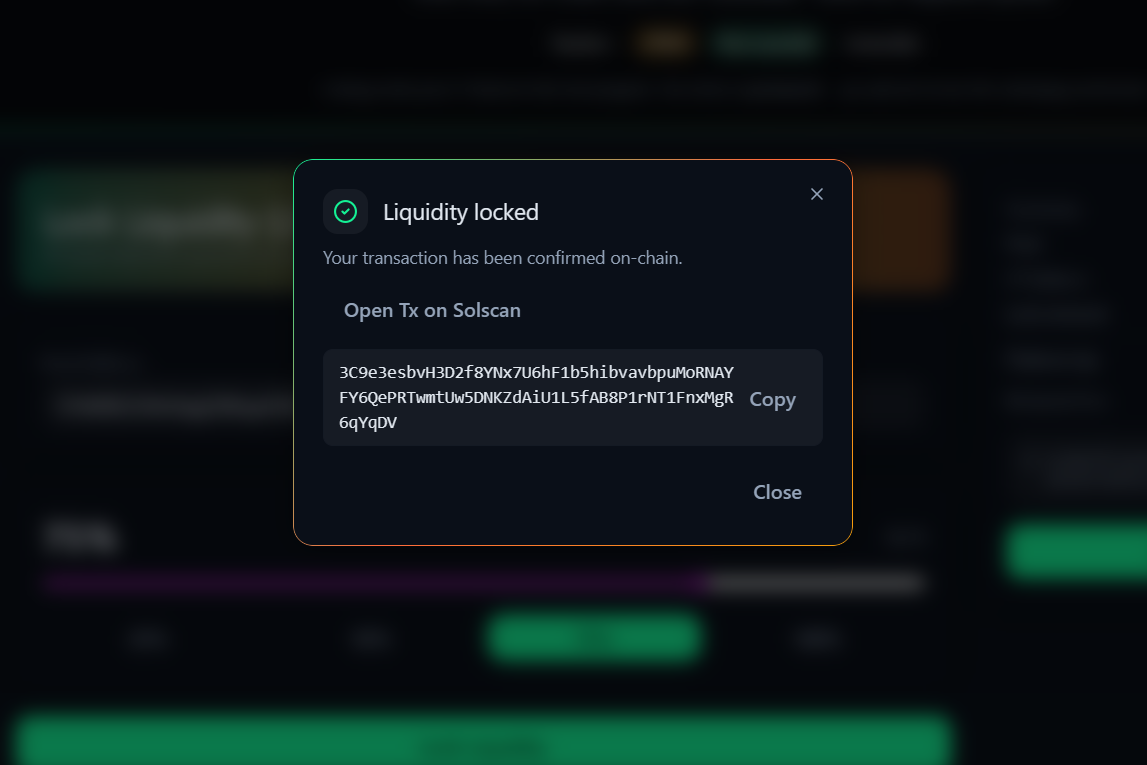
🛟 Common Questions
Does locking LP mean my token supply is locked?
No! Locking LP only locks the trading pool. If you want to lock the actual supply of your token so no more can ever be minted, you need to use our Revoke Authorities tool. For a truly safe token, you should do both.
Can I unlock them later if I change my mind?
No. This is a permanent on-chain burn. The liquidity is locked forever, which is exactly why it builds so much trust with buyers!