
💸 How to Remove Raydium Liquidity
If you previously created a liquidity pool and you want to take your tokens and SOL back out of the pool, you can use this tool to "Remove" your liquidity.
When you do this, you are trading your LP Tokens (your pool receipts) back in exchange for the underlying SOL and tokens.
Launch link: Open Remove Liquidity →
🛠️ Step-by-Step Guide
Just like when locking liquidity, you need your Raydium Pool ID (Pair Address). You can copy this directly from your token's DexScreener page.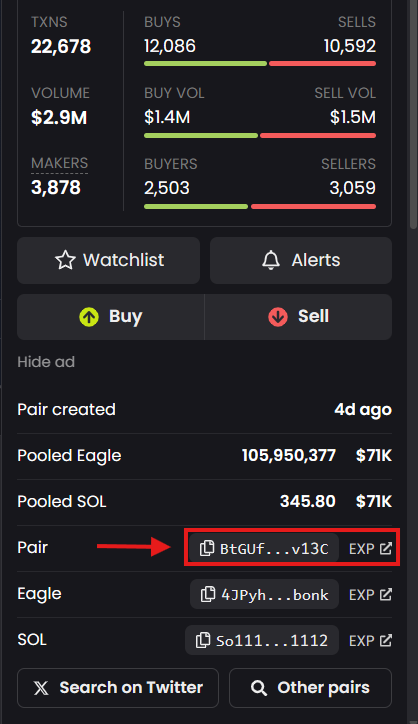
Connect your wallet to MintKiln, and paste the Pool ID into the search box. We will automatically find the pool and show you how many LP tokens you have available to withdraw.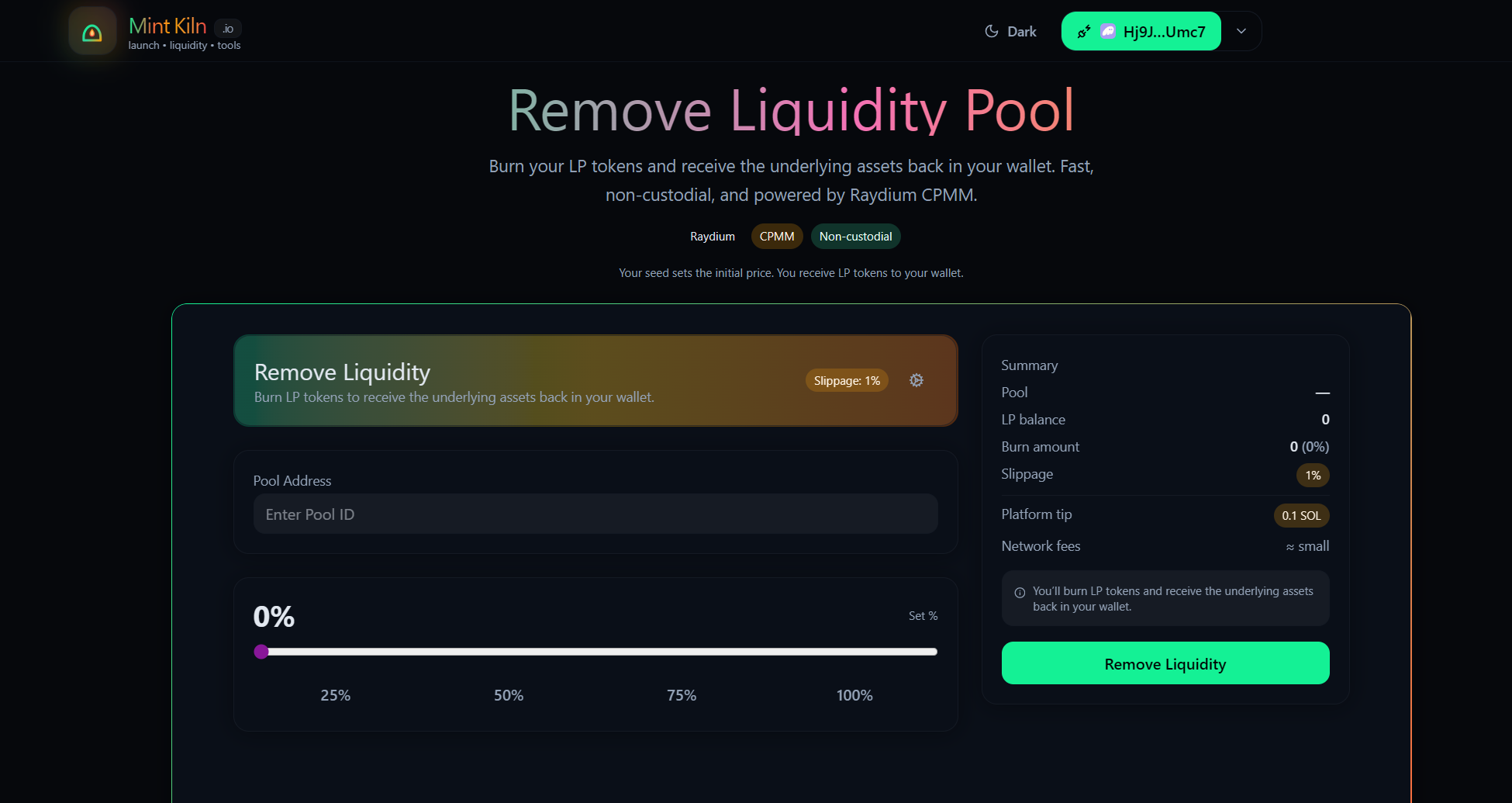
Use the percentage buttons (25%, 50%, 75%, 100%) to decide how much of your liquidity you want to withdraw. The summary card on the right will show you a live estimate of exactly how much SOL and tokens you will receive back.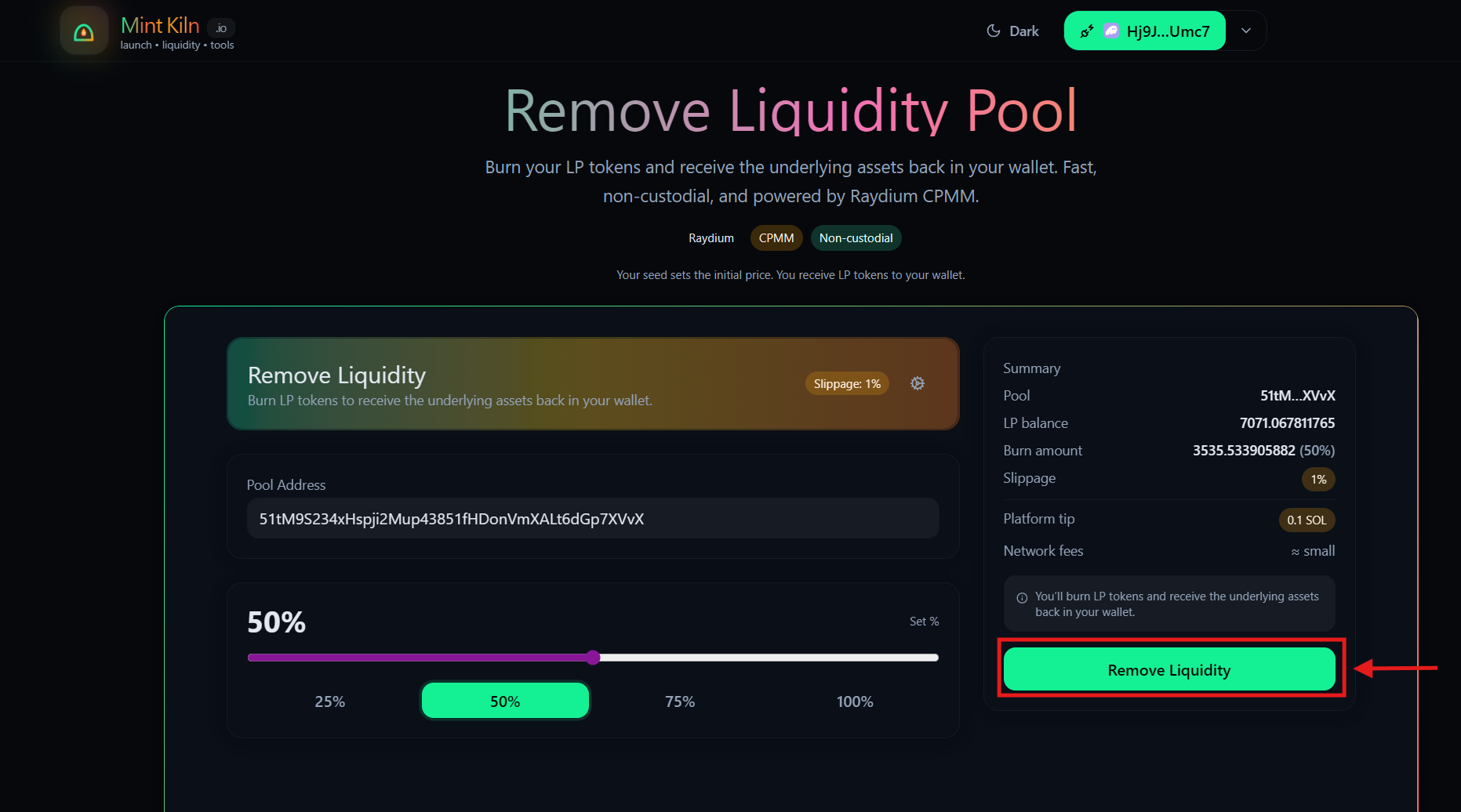
If the market is moving very fast, your transaction might fail. You can click the ⚙ Settings icon and slightly increase your "Max Slippage" to make sure the transaction goes through during volatile times.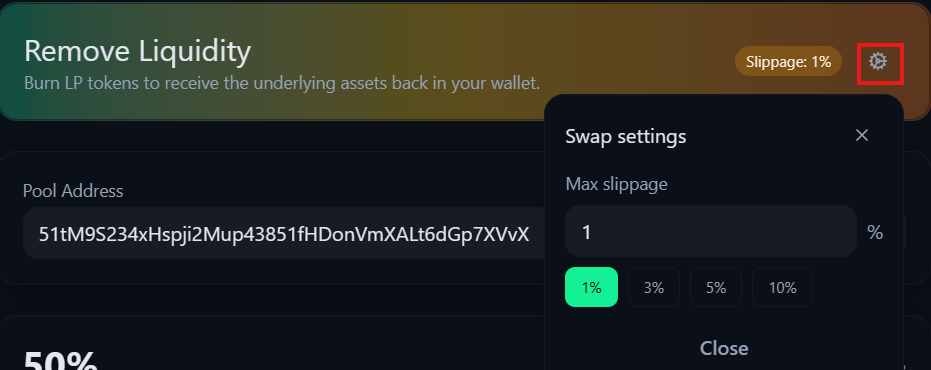
Click Remove Liquidity and approve the transaction in your wallet. Within seconds, your original tokens and SOL will be deposited right back into your wallet!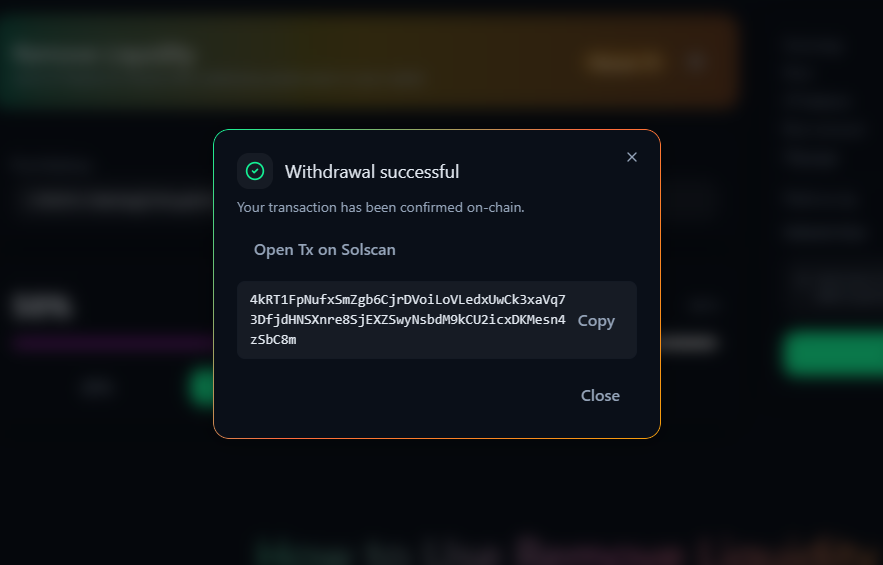
🛟 Troubleshooting
- "LP Balance = 0" → Make sure you are using the exact same wallet that you used to create the pool originally. If you sent the LP tokens to another wallet, you must connect that wallet.
- "I can't remove my liquidity!" → Did you use our tool to Lock your Liquidity previously? Remember, locking is permanent! You cannot remove liquidity that has been locked/burned.
- Why did I receive WSOL instead of SOL? → Sometimes Raydium returns "Wrapped SOL" (WSOL). You can easily "unwrap" this back into regular SOL from inside your Phantom wallet with one click.